Alarm management and escalation
Alarm escalation and shift-based routing
The right person, the right shift, until it is acknowledged
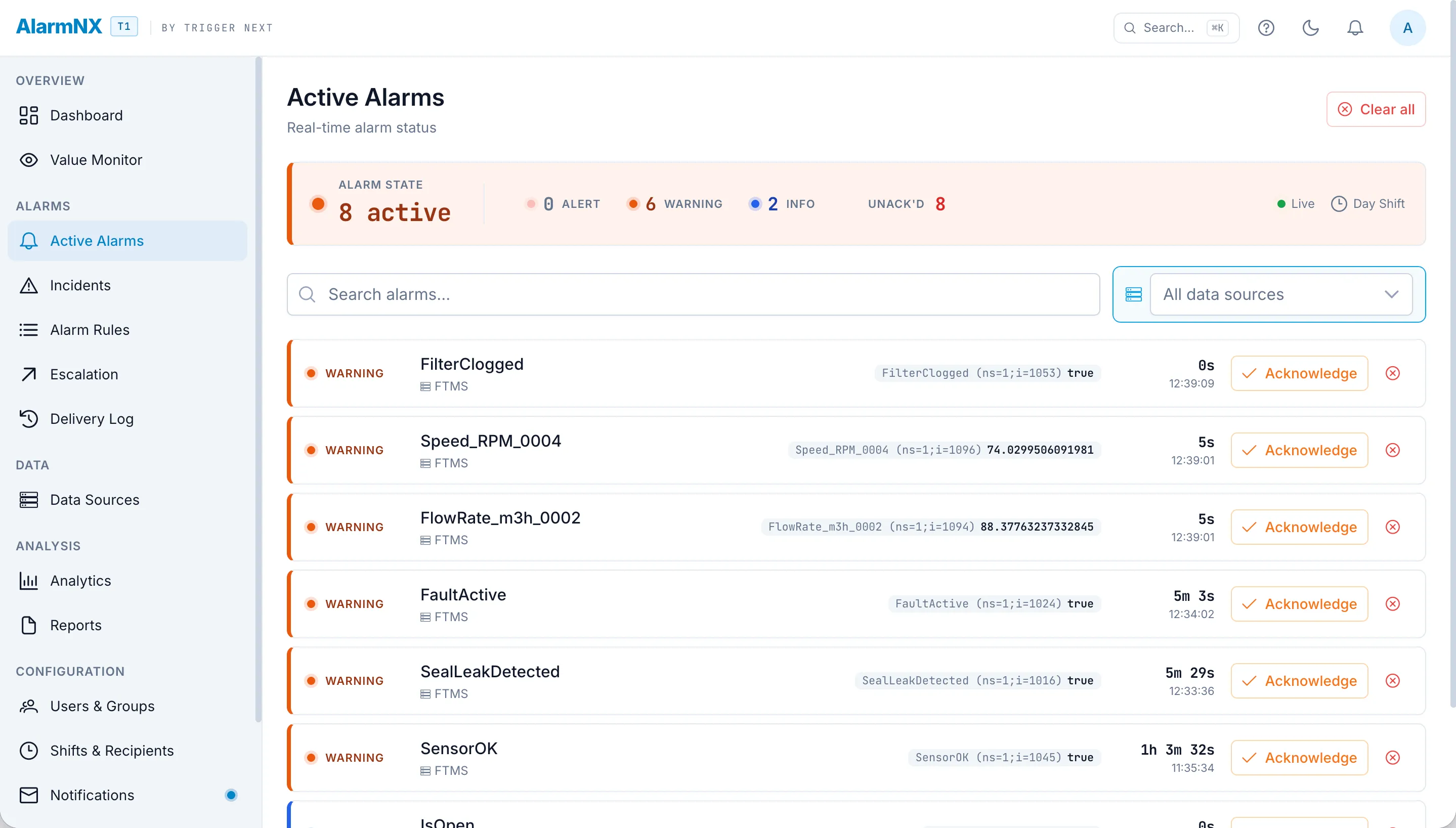
AlarmNX turns a raw condition into a tracked incident: it evaluates the rule, routes to whoever is on shift, and escalates level by level until someone acknowledges and is recorded by name.
Alarm rules on any variable
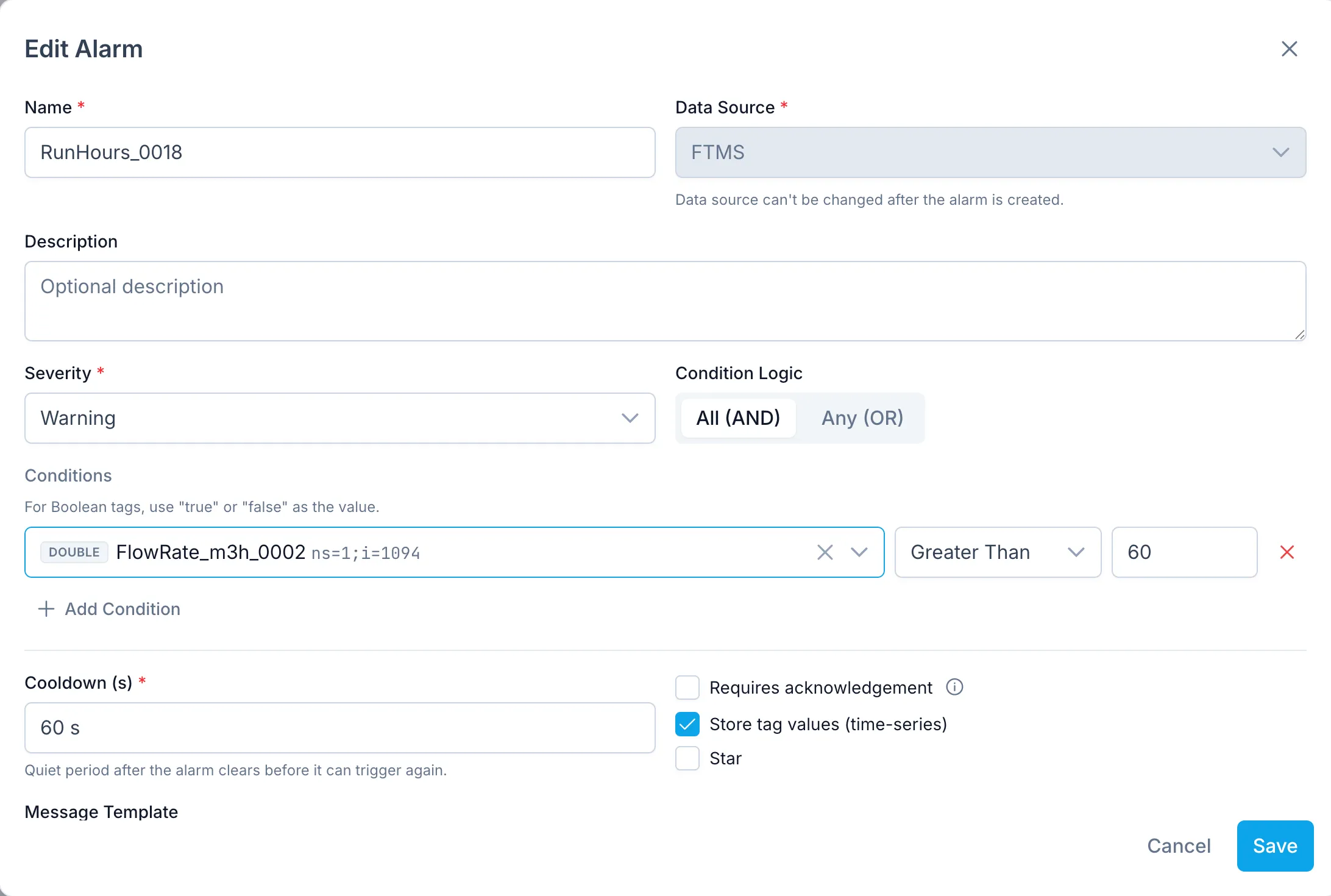
Build a rule on any monitored variable and set the condition that matters: a threshold, a range, a rate of change, or a state. Assign a severity so operators can tell a nuisance from an emergency at a glance. Operator-aware validation checks the rule as you write it, so a comparison that can never be true is caught before it ships. When you are standing up a site with hundreds of points, bulk import the rules from Excel instead of typing them in one at a time.
- Conditions on any variable: thresholds, ranges, rates, and states.
- Severity levels so the urgent alarms stand out from the routine ones.
- Operator-aware validation that flags an impossible condition as you build it.
- Bulk import from Excel for standing up large sites quickly.
Escalation chains that do not give up
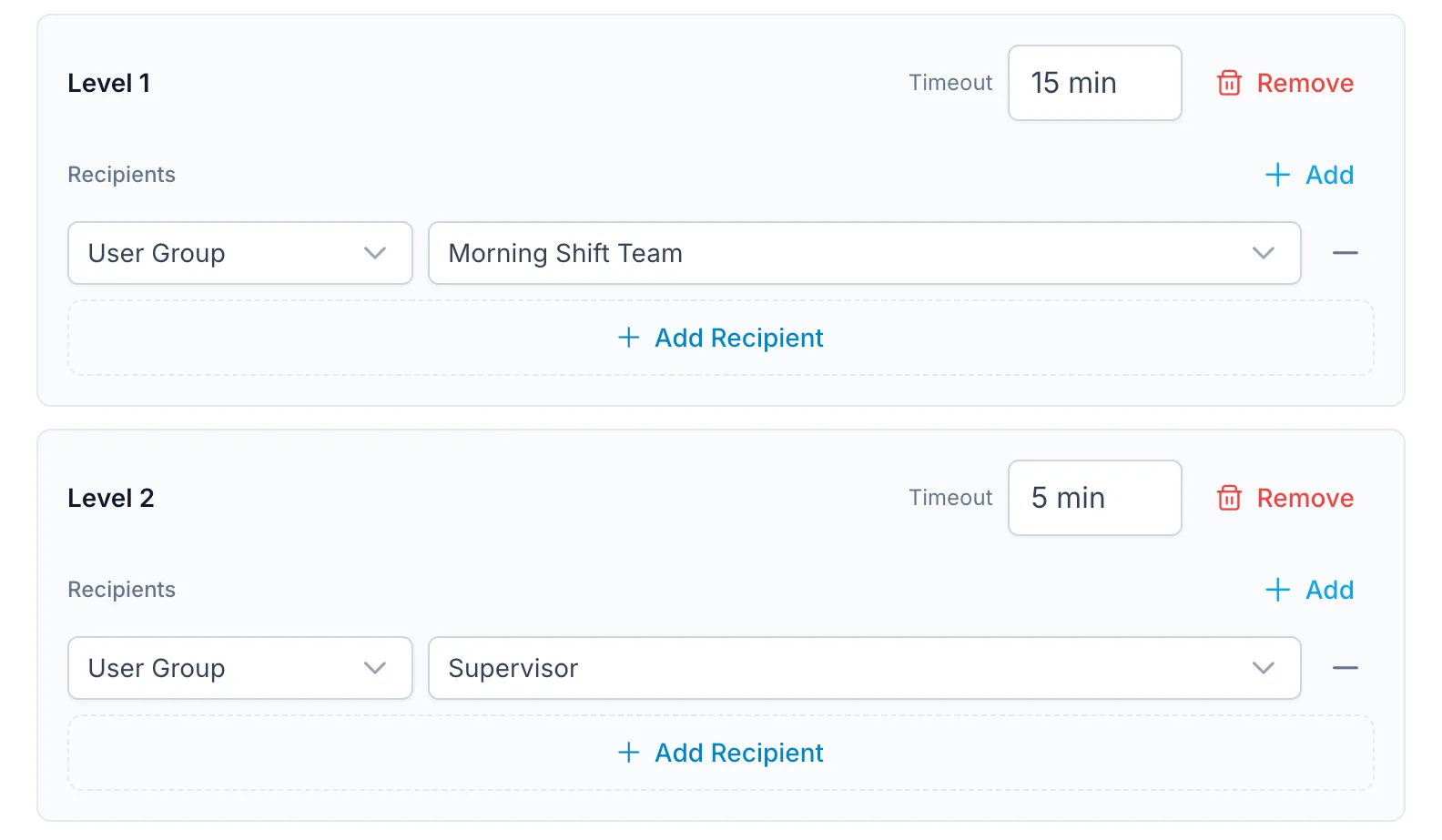
An escalation chain is a sequence of levels, each with its own recipients and its own delay. If nobody acknowledges within the delay, the alarm moves to the next level and more people are notified. Acknowledging from a browser or the mobile app halts the chain immediately. When several people can respond, the first acknowledgment wins and the actor is recorded by name, so there is never a question of who took ownership.
- Levels with per-level recipients and delays.
- No acknowledgment within the delay moves the alarm up a level.
- Acknowledge from web or mobile to halt the chain at once.
- First acknowledgment wins, with the actor recorded by name.
Shift-aware routing
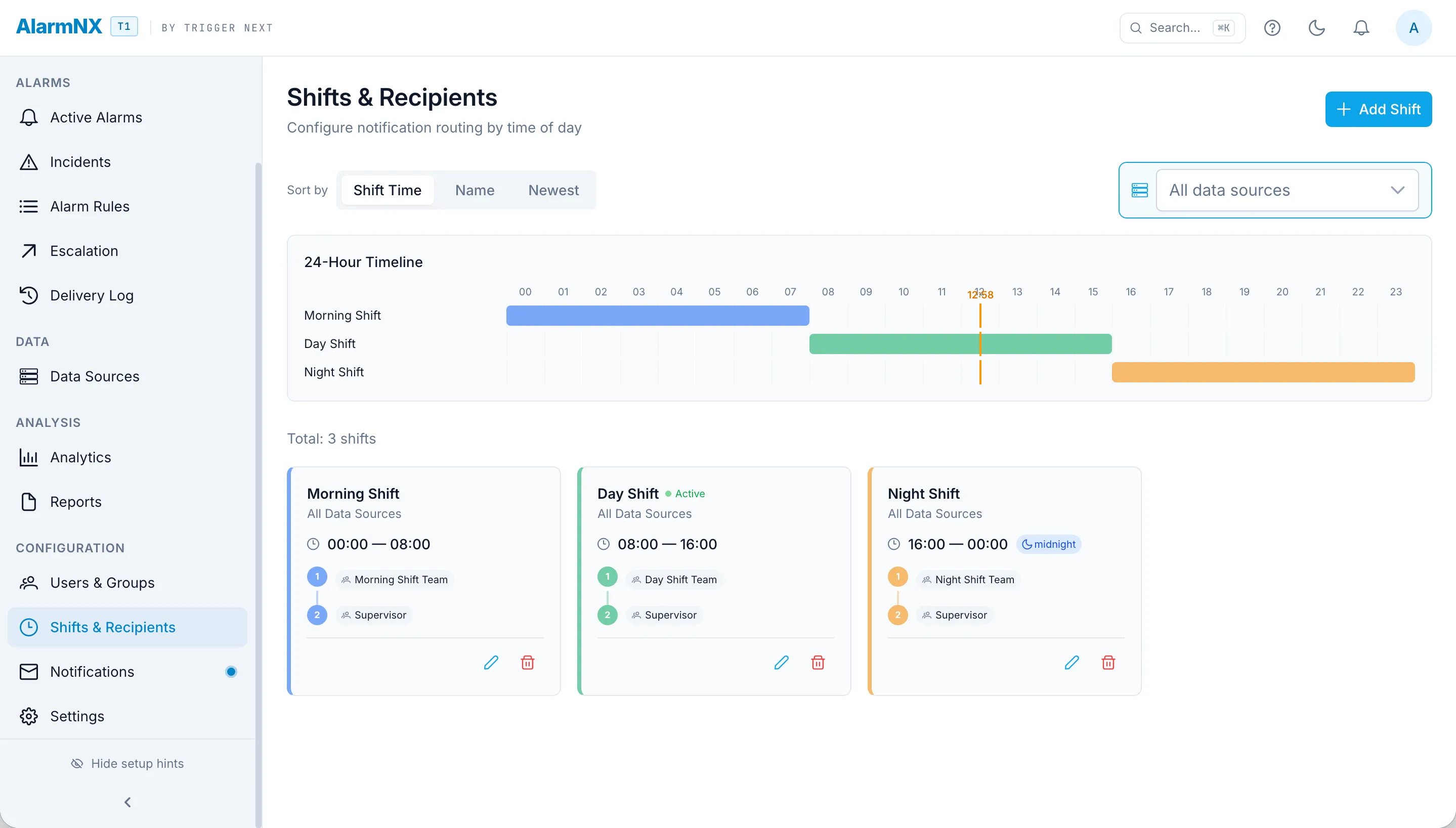
The day crew and the night crew should not get each other's alarms. AlarmNX matches every alarm to the shift that is on at the moment it fires, using the site's own time zone and correcting for daylight saving, so a shift that crosses a clock change still lands with the right people. Routing follows the roster, not a static list.
- Recipients matched to the shift on duty when the alarm fires.
- Evaluated in the site's own time zone.
- Daylight saving handled correctly across clock changes.
Suppression windows for planned work
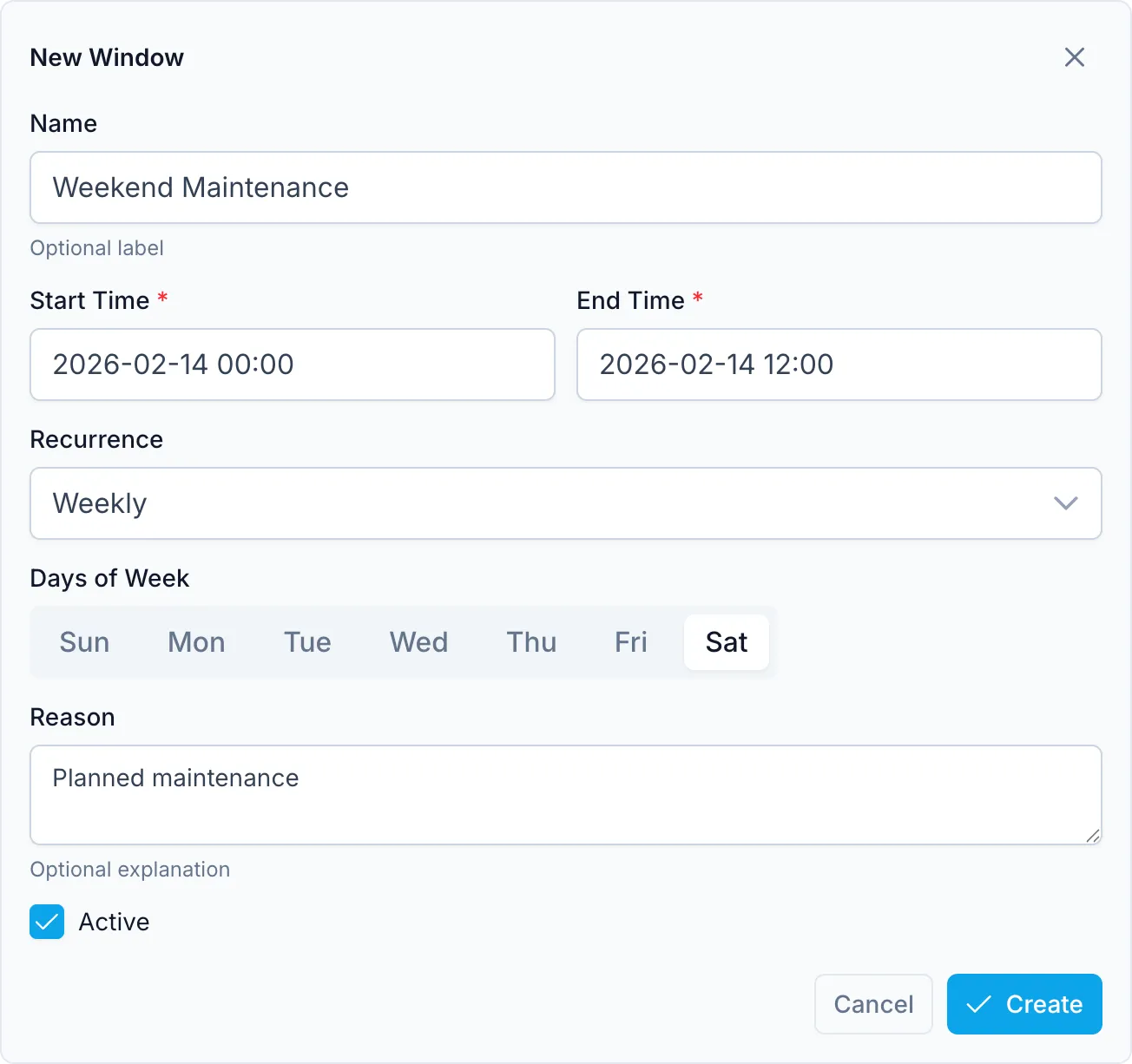
Planned maintenance should not bury the team in alarms they already expect. Define a suppression window and the alarms inside it are held back for the duration, so a shutdown does not turn into an alarm storm. Windows can recur on a schedule, and they are evaluated in site time so a weekly maintenance slot lands at the right local hour every time.
- Hold expected alarms during planned maintenance.
- Recurring windows on a schedule.
- Evaluated in site time so recurring windows stay aligned to local hours.
Accountability, start to finish
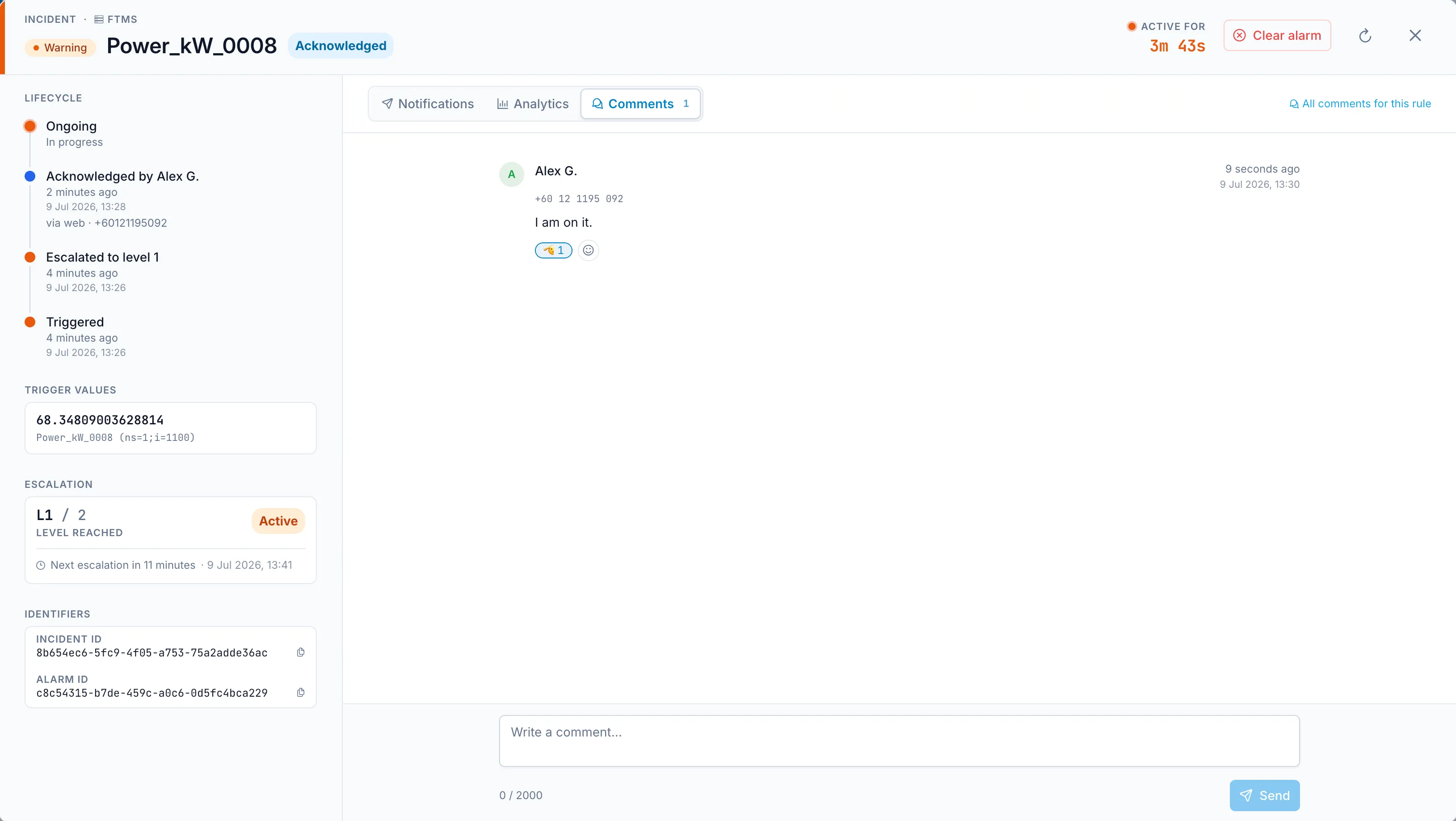
Every incident carries its own timeline: when it triggered, who acknowledged it and on which channel, and whether it was cleared by a person or cleared automatically when the condition returned to normal. From the mobile app, the team can leave comments and react to them on the incident itself, and a full audit log records the configuration and actions behind it. Export the record to XLSX when you need it for a report or a review.
- Incident timeline: triggered, acknowledged by name and channel, cleared.
- Comments with reactions on the incident, from the mobile app.
- Full audit log of actions and configuration changes.
- XLSX export of the record.